
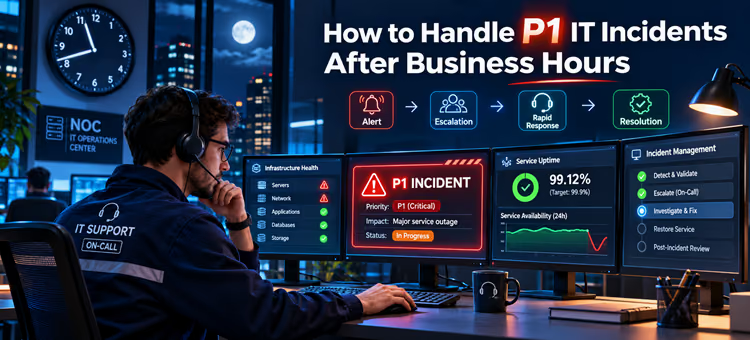


IT incidents have become a major concern today. Research shows that more than two-thirds of companies lose around $300,000 in a major IT incident, with 8% of businesses losing a whopping $1 million.
This shows the need for a structured response plan, the right team on duty, a proper escalation route, and seamless communication. All of these are important to restore service as quickly as possible, and without causing further disruption.
Another key part of a well-structured IT help desk system is categorizing incidents by urgency and impact on the organization and its customers. P1 IT incidents are urgent, require immediate attention, and need quick resolution.
But how exactly do you know which issues need to be put on top of the incident priority list and which can wait until the next day? And how exactly are the high-priority incidents handled, especially when your in-house technicians have signed off for the day? For that, we need to understand what priority levels mean first.
Understanding Priority Levels in IT Incidents
IT incidents have different priority levels, with the most urgent ones being categorized as P1 incidents and the less important ones given a P4 or P5 tag. In this post, we’ll understand what P1 issues are and how quickly they require resolution.
The exact definition of priority levels can differ by company and is clarified in the incident management policy and, sometimes, the SLA (Service Level Agreement), but for the majority of businesses, any serious, high-impact technical issue that can disrupt a business’s operations is considered a P1 incident.
These aren’t random issues, such as a typo on a landing page that’s noticed after it’s published or a small navigation issue on the website.
Think big.
- A security concern, such as your team noticing malicious activity on your business accounts
- A server outage that affects business operations
- A payment gateway failure
- A network problem that affects your entire client base.
Why are P1 Incidents After Business Hours Challenging?
While each P1 issue varies and may have different resolution times, they share one thing: a huge impact on the organization if the incident goes unresolved for too long. This gets even more challenging when P1 incidents occur after business hours or when your qualified and top-rated technicians are off-duty.
Here’s what can happen:
-
Unavailability of Top-Tier Technicians:
A technician with access to the business’ most sensitive application and the knowledge to fix errors may be unavailable when needed. Or, the team authorized to handle infrastructure-related issues may be on leave.
-
Fewer Qualified Agents:
Most businesses have small teams that work after business hours, with fewer qualified agents. While your team can handle less-critical issues, they may not be qualified to manage complex matters involving apps, servers, networks, or platforms that can impact the entire business.
-
Increased Pressure:
Increased pressure on your external team that works in shifts after your business closes can lead to poor decision-making, missing important updates, or making changes they aren’t authorized to make.
These can wreak havoc on businesses’ reputation or services.
How Can You Effectively Manage P1 Incidents After Business Hours?
So, how should an organization deal with P1 incidents? Let’s take a look at some practical ways to effectively resolve P1 incidents and restore a business’s normal operations:
1. Identify the P1 Incident
Key Points
- Outline the criteria to determine high-priority incidents in the incident management policy
- Each internal employee and your outsourced after-hours support desk must be on the same page when it comes to categorizing and declaring IT problems as Priority 1 incidents.
- Document escalation paths in clear language
Recognizing the difference between a high-priority issue and a matter that isn’t serious enough to require an immediate response is crucial before your team takes any action. Not every IT problem qualifies as a P1 incident.
For example: An employee facing a problem using the printer isn’t a high-priority issue, as it does not directly affect your business operations at the organizational level. A P1 incident is something that causes a widespread disruption or jeopardizes your business’ reputation.
Suppose the blog section of your website is inaccessible on smaller screens. This is a P3 or a P4 issue, but if your customers can’t access your website altogether to complete their purchase, this is a P1 issue for a company that relies completely on its eCommerce website for sales.
2. Communicate to the On-Call Team Immediately
Key Points
- Clearly list contact details of senior engineers or on-call experts
- Have backup contacts for emergency
- Have a clear understanding of how P1 incidents must be communicated in the escalation chain
Once the issue is identified, the next step is contacting the right person. Your after-hours support team should be well familiar with the entire incident management team, including senior engineers, the incident manager, decision-makers, and most importantly, the on-call duty agent.
Instead of wasting time looking through a vast email list to figure out who to alert, the team should have all the contact details and escalation routes available.
Your after-hours IT agents must also understand the escalation chain, i.e., how and when they are supposed to communicate the incident to the next person in the chain.
Another important element of a well-documented escalation chain is the backup contact. A P1 incident that requires a cybersecurity specialist, for example, should have another authorized person listed as a backup in the incident management system. If you can’t reach the on-call duty expert or they are unavailable, the backup engineer must be notified immediately.
3. Troubleshoot With Care
Key Points
- Check the significance of the issue and who it affects
- Assess and document the matter
- Coordinate with the incident manager and senior engineers before planning recovery
When a serious IT incident occurs, your team may get started with troubleshooting immediately to fix the problem fast. As tempting as that sounds, it’s important that the matter is understood, documented, and properly assessed before resolution starts.
Let’s understand this with an example. When a customer reports a payment gateway failure, you first need to check if the issue affects only that customer, a specific region, or every customer visiting your website. Also, check if your website is functioning normally and whether they can access the checkout cart. While you are at it, check if it’s a single payment method that isn’t working or the entire payment gateway.
The IT team should coordinate with the business leader or the authorized manager to determine which services need to be resolved first.
4. Assign Incident Management to One Person
Key Points
- Clarify each agent’s duty
- Let an indecent manager lead the case
- Work as a team to ensure smooth issue resolution
This doesn’t have to be the most technically qualified agent, but someone capable of leading the support desk team and making the duties of individual agents clear. The incident manager will handle escalations and assign responsibilities so each agent knows what to do.
Why is it important?
Imagine a P1 incident affects a business’ application. The engineers, instead of working together, work separately on the same issue. Now, one tries to restart the application, while the other one is making changes to it. This can worsen the situation.
With an incident manager leading the case, technicians will work as a team, handling different aspects of the incident. For example, one agent may check the server; another can check the network connectivity, while another may look for recent updates in the applications that could have caused the failure.
5. Clear Communication With Customers, Stakeholders, and Business Associates
Key Points
- Have a central communication channel for updates
- Inform all parties involved in your business about the issue
- Give updates regarding the issue resolution at regular intervals
When a business faces a server outage or an application failure, it’s not just the technical team that experiences its impact. Business associates, managers, customers, and employees should all stay in the loop while your after-hours support team is working to resolve the incident.
Lack of communication can create unnecessary confusion among business stakeholders, customers, and other people involved in the business. For example, employees might keep requesting support for the same issue with different agents, thus raising multiple tickets for one matter.
Likewise, managers and other associates might request updates on an unresolved issue multiple times from different agents. The worst part? Customers might also get confused when they get different responses from different agents when requesting an update.
To ensure seamless communication, you must have a central communication channel through which you can update every party that’s affected by the incident. The incident management policy must also clearly state how frequently you must send an update to all.
This raises the question: What exactly should the update be about?
Give your team a gentle reminder that you are working on the issue and that it will be resolved shortly. If possible, provide an estimated duration it will take to restore business operations. It’s also important that the message contains reliable information rather than fake promises.
For example, your update should say, “Our payment gateway has experienced a temporary failure. We are currently investigating the reason and will send the next update as soon as we’ve figured out the problem”.
6. Security Incidents Deserve Extra Attention
Key Points
- Security issues, such as unauthorized account access or ransomware, deserve attention on priority, preferably before other P1 incidents
- Identify the type of attack and control it before focusing on restoring services
- Stick to the company’s security incident response
Among the incidents categorized as “high-priority”, security issues should be handled first. These are different from ordinary service failures.
Unauthorized access to your confidential data, ransomware, malware, compromised admin accounts, and leaked sensitive data are all critical issues that require immediate response and quick resolution.
In such cases, the goal isn’t to restore business operations first, but to identify the type of attack, the damage it’s caused, and how to prevent the hacker from getting further access into your systems.
The after-hours support team must follow the company’s security incident response plan and authorize the legal, technical, and other relevant teams.
7. Having a Post-Incident Review
Key Points
- Identify the cause of the service failure to prevent such incidents in the future
- Follow a proactive approach rather than focusing on reacting to the incidents when they arise
- Thoroughly review team’s response time, resolution rate, customer satisfaction rater, and other metrics to gauge your performance.
This one is important. The incident is resolved. The affected parties are satisfied with the service, and your business operations are back to normal. But the technicians’ jobs do not end here.
The after-hours support team must run a detailed investigation into what led to the service failure: a security issue, a network problem, or other such incidents in the first place. They must also review the response time, resolution rate, how satisfied customers were, whether the right people were contacted, and what can be improved in the future.
The goal is to make businesses’ IT infrastructure more reliable and robust rather than focusing on resolving the issues at hand.
Final Verdict
Managing P1 incidents after business hours can be a real challenge. With fewer people available at night or on holidays, even simple technical issues can cause a major disruption when handled inefficiently.
Outsourcing your after-hours customer support to reliable and experienced third-party professionals, such as 31West, is the first step in creating a strong support desk.
Having a proper response plan, a clear and detailed incident management policy, incredible coordination between your teams and stakeholders, as well as technical expertise, is important to handle P1 incidents effectively.
Frequently Asked Questions
How should a business handle P1 incidents?
For P1 incidents, a business must have a '24/7, drop everything' response where such incidents are identified, communicated, and escalated promptly.
Who must be alerted when a business faces a P1 incident?
The on-call duty agent, technical team, and incident manager must all be alerted when you have a P1 incident.
What does SLA for P1 incidents show?
It contains information about how fast the issues must be acknowledged and resolved.
What’s the general response time for a P1 incident?
There’s no universal timeline, although most companies aim to respond to these incidents within 15-30 minutes.
What do P4 incidents mean?
These are the least-critical issues, such as a customer requesting basic product details, cosmetic issues, and other concerns that do not affect the business’s core operations.
Who should handle P1 incidents after business hours?
If you have hired a third-party help desk company for after-hours business operations, they should acknowledge the incidents, identify their priority levels, and escalate the matter to the authorized engineers.
What if the on-call duty agent can’t resolve the P1 incident?
They must escalate it further to the qualified engineers.
Are all incidents raised after business hours marked high-priority?
No, not every minor issue that causes minimal to no business disruption is labeled as a high-priority issue. Only critical matters that can put a halt to business operations or affect its customers should be treated as P1 incidents.
What if the incident manager doesn’t respond or is unavailable?
The after-hours agent must use backup contacts if they can’t reach the incident manager.
How quickly must the P1 incident be resolved?
Depending on the nature of the incident, it must be resolved within 1-4 hours.